
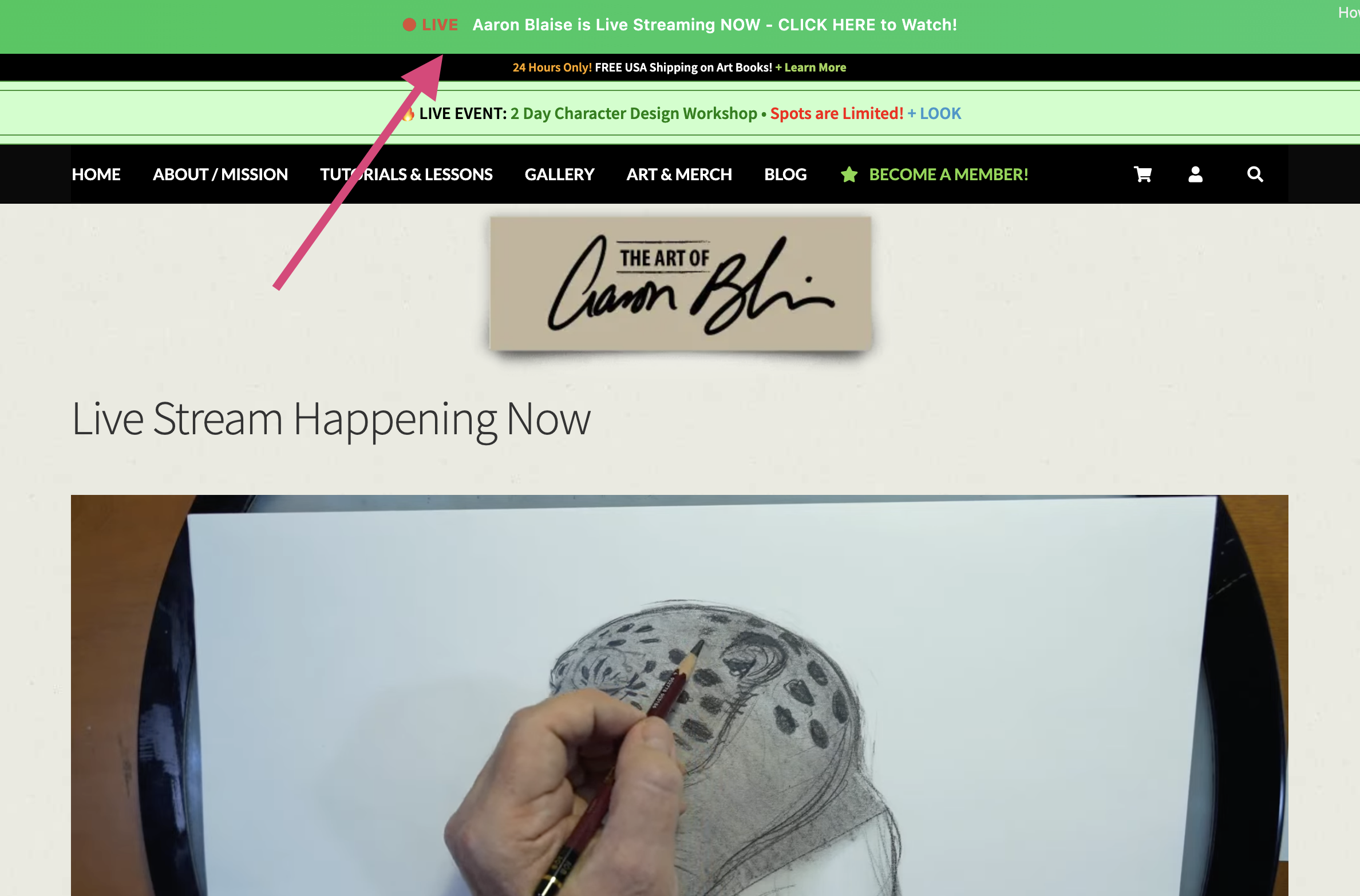
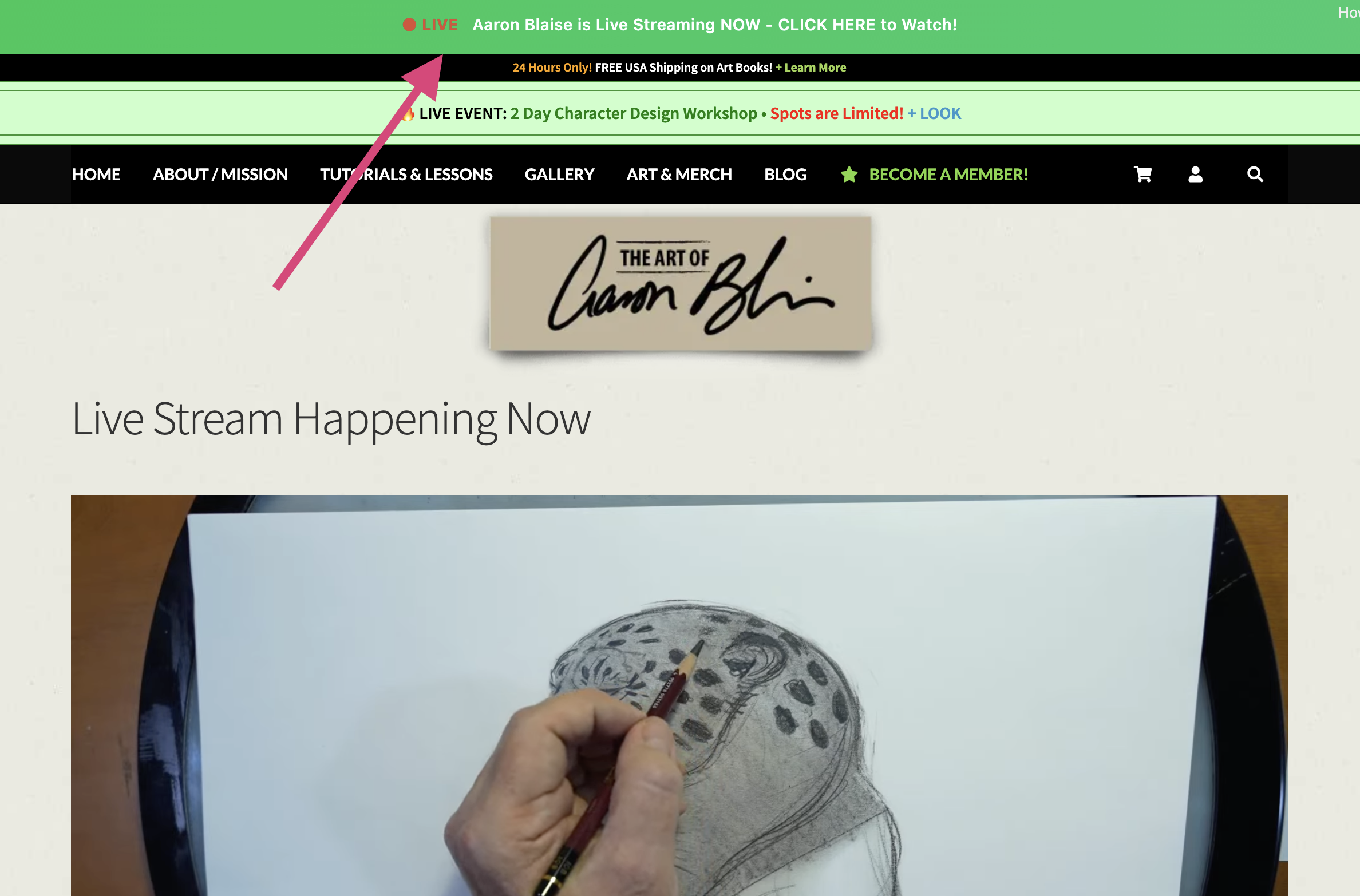
When a stream is live or about to begin, a banner will appear at the top of the website, and app users will receive a push notification.
There are two types of streams: a free public one and an exclusive session for members. Here's everything you need to know.
Free & Public · Open Stream · 11:00 AM ET
Open to everyone, no account needed. Watch Aaron draw, paint, or animate live, and catch Q&A in the chat.
YouTube - AaronBlaiseArt
Facebook Fan Page - TheArtofAaronBlaise
Subscribe or follow to get notified automatically
On YouTube, click Subscribe and then the bell icon. On Facebook, follow Aaron's page and turn on notifications so you're alerted the moment he goes live.
Members Only · Members Only Area · 1:00 PM ET
A deeper, more interactive session is available exclusively to Creature Art Teacher members. Sign in is required:
Members can submit questions and interact in the exclusive chat. This is your chance to get personalized feedback and guidance directly from Aaron.
Not a member? You can click here to see options.
Interactive Q&A Session
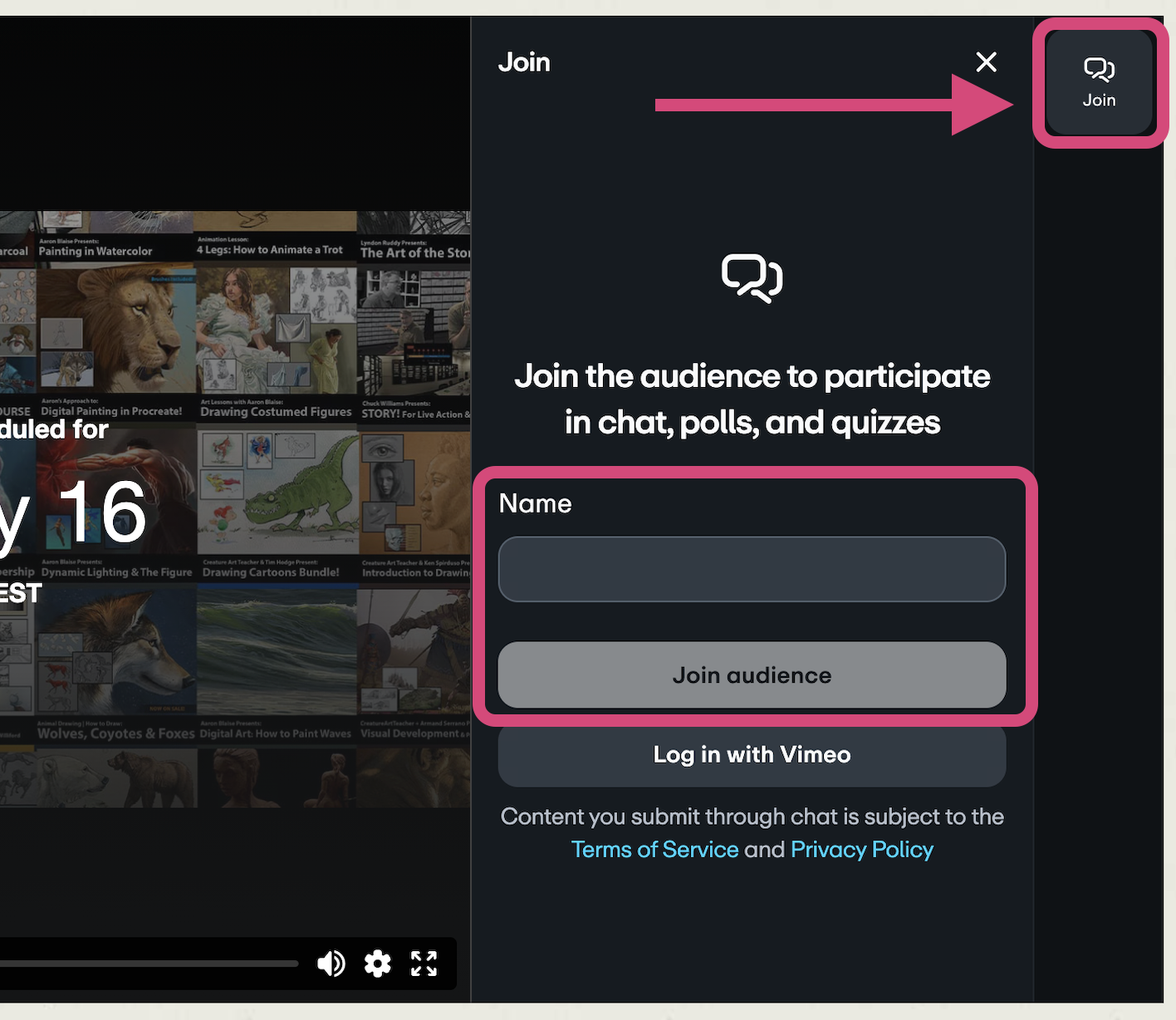
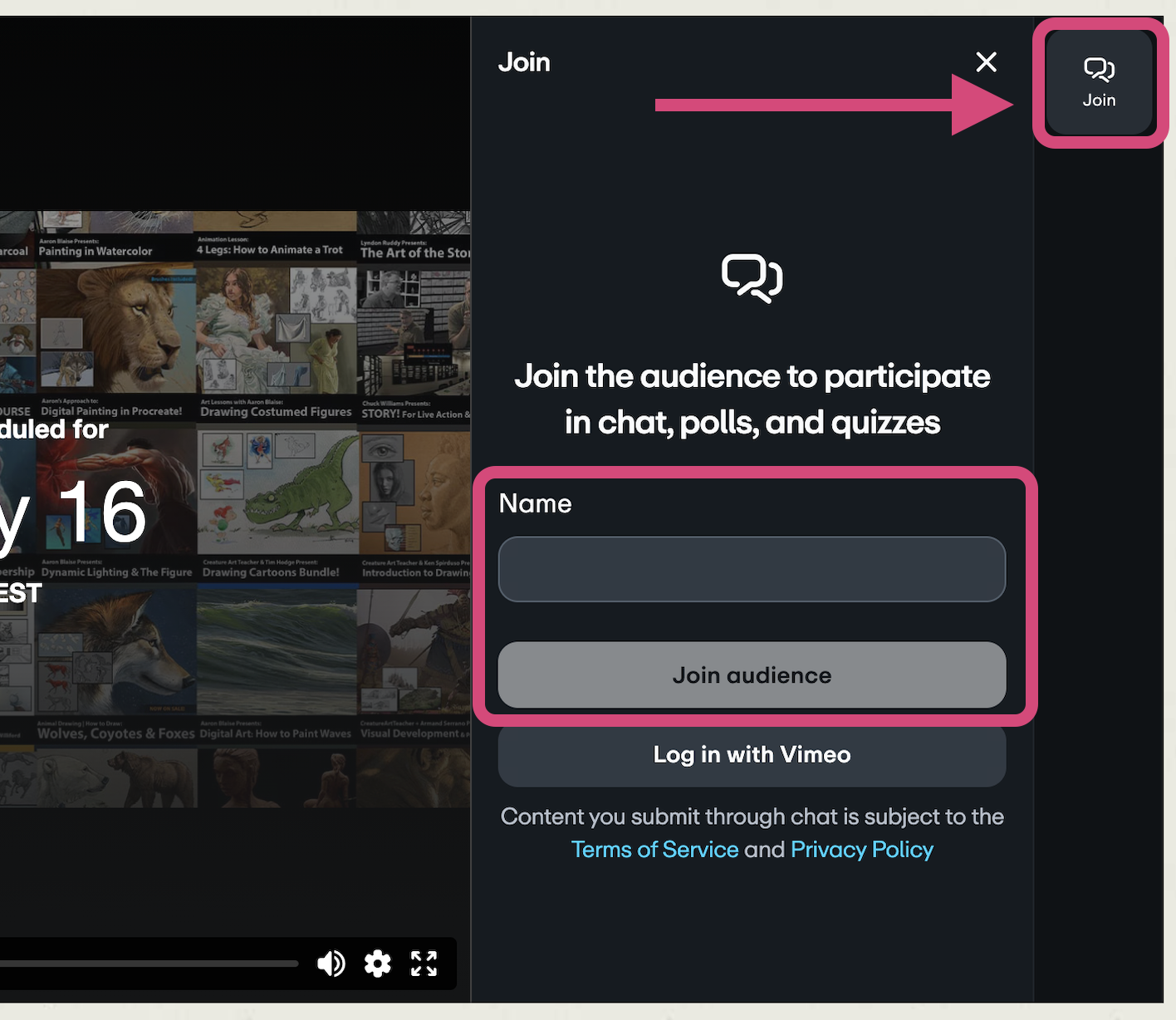
If you're on a browser, during the members-only stream, look for the live chat and interaction panel on the right side of the video player:
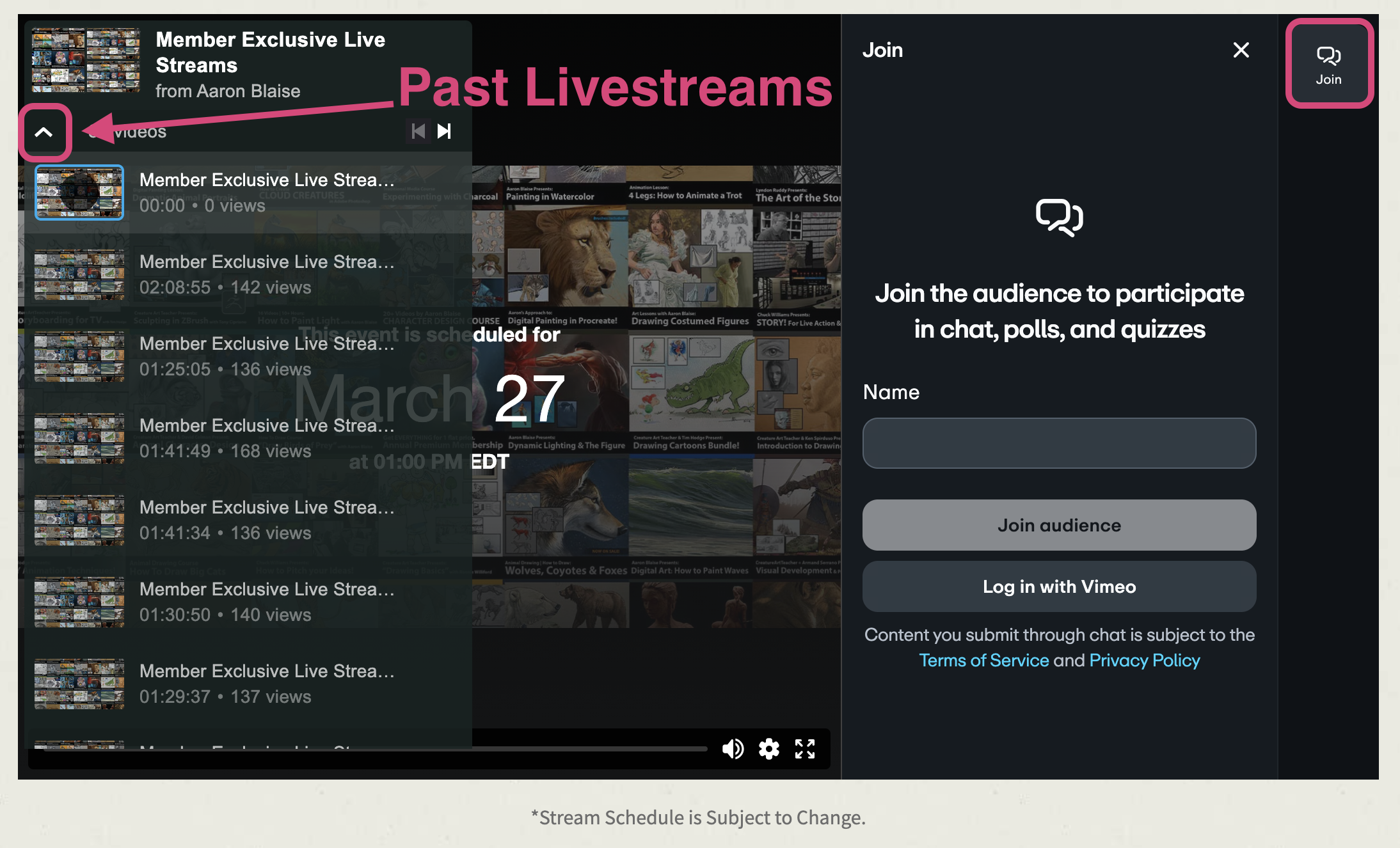
Past Livestreams and Snow Bear Production
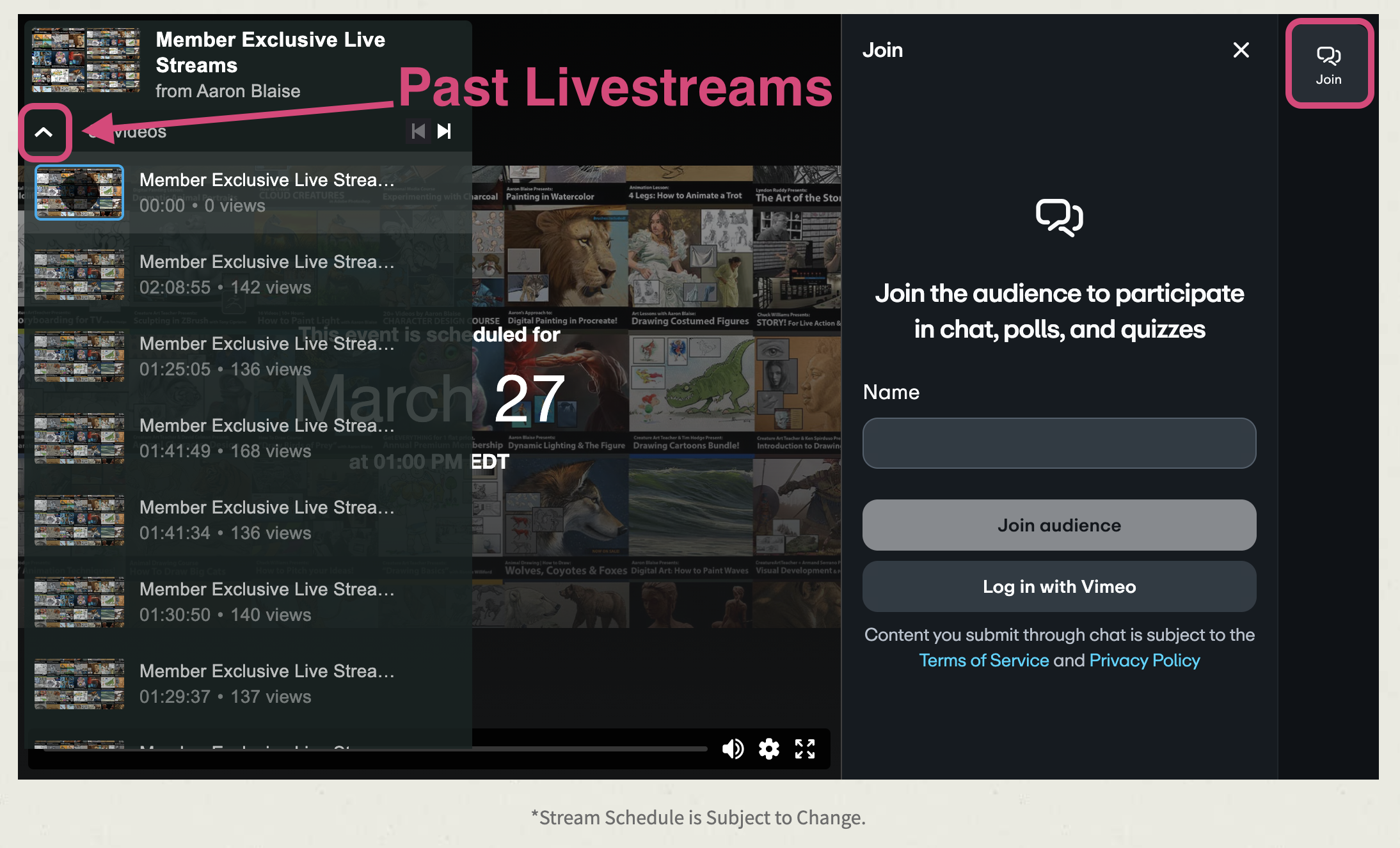
You can watch past livestreams by clicking the arrow in the left corner of the video player.
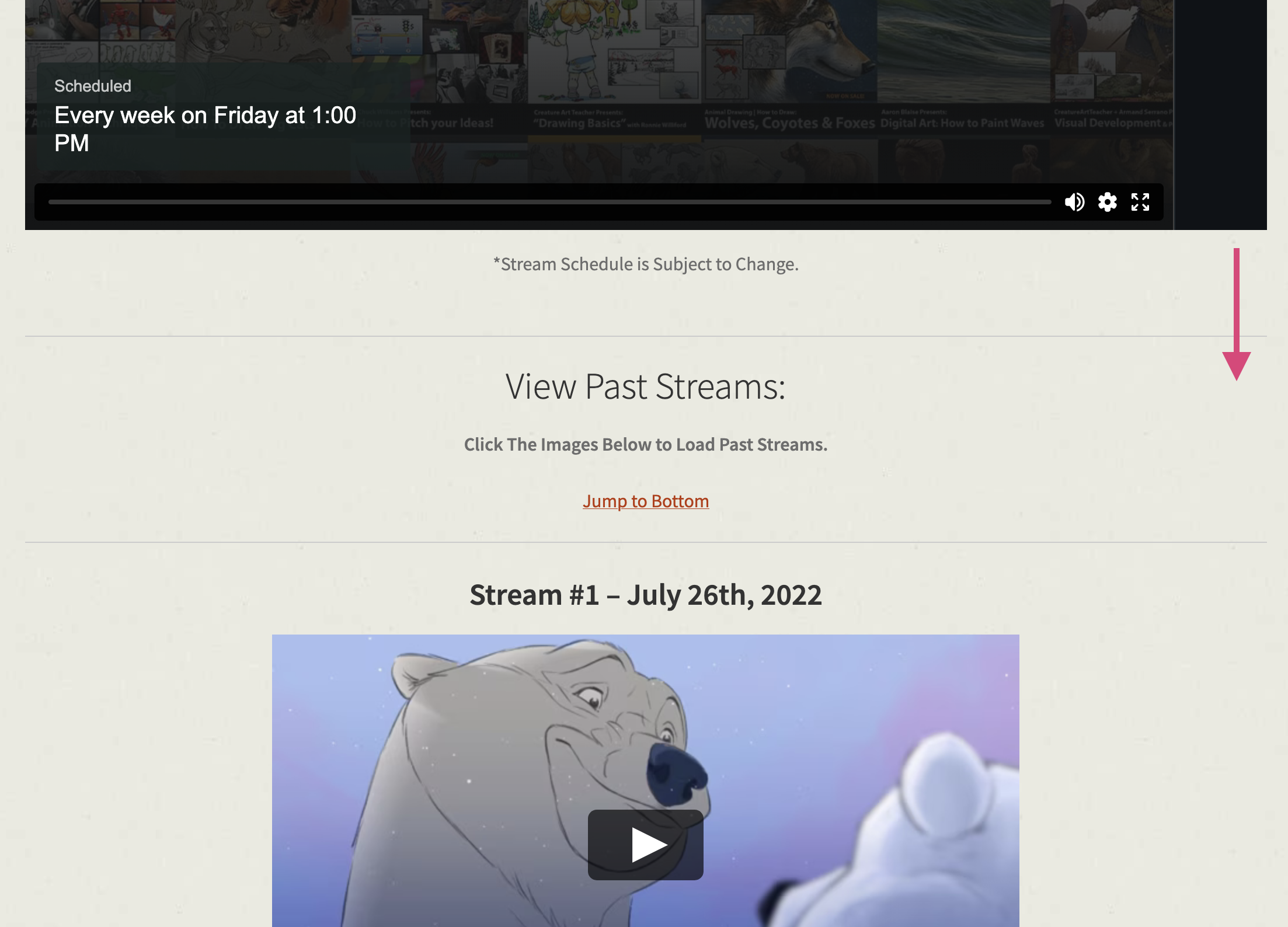
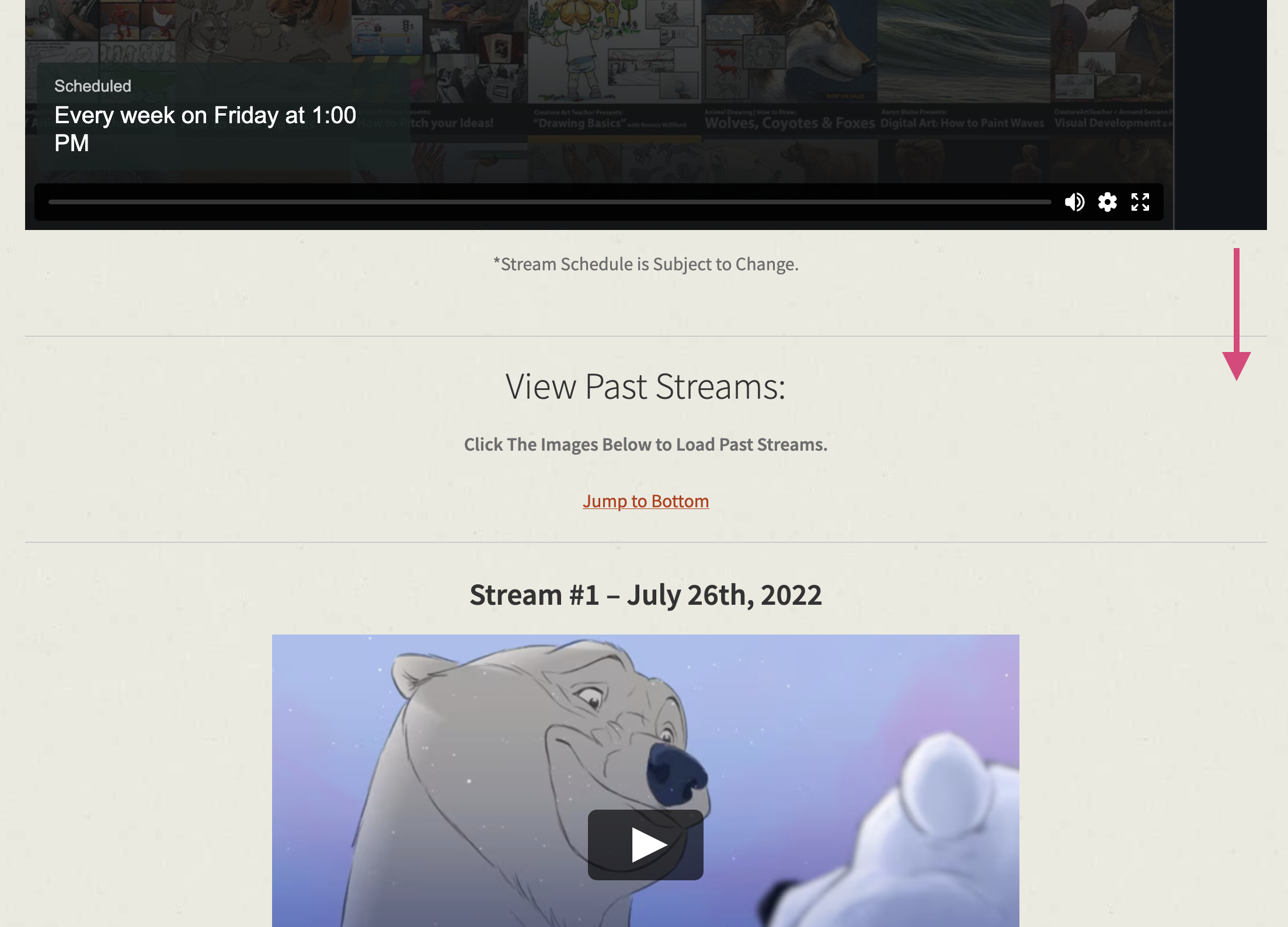
To watch the Snow Bear Production videos, scroll down:
Using the Creature Art Teacher app?
You'll automatically receive a push notification before each Friday stream begins, both the public stream and the members-only session.
Make sure notifications are enabled in your device settings so you never miss a broadcast.
¿Cómo unirte a las transmisiones en vivo los viernes?
Todos los viernes, Aaron Blaise transmite en vivo para enseñar, crear y responder preguntas.
Cuando una transmisión esté en vivo o a punto de comenzar, se mostrará un banner en la parte superior del sitio web y los usuarios de la aplicación recibirán una notificación.
Hay dos tipos de transmisión: una pública y gratuita, y otra exclusiva para personas con una membresía activa. Aquí tienes todo lo que necesitas saber.
Transmisión abierta · Pública y gratuita · 11:00 a. m. ET
Abierta a todas las personas, no se necesita una cuenta en el sitio web. Mira a Aaron dibujar, pintar o animar en vivo, y participa en la sesión de preguntas y respuestas en el chat.
YouTube - AaronBlaiseArt
Facebook Fan Page - TheArtofAaronBlaise
Suscríbete o sigue las cuentas para recibir notificaciones automáticas
En YouTube, haz clic en «Suscribirse» y luego en el icono de la campana. En Facebook, sigue la fan page de Aaron y activa las notificaciones para recibir una alerta en el momento en que inicie una transmisión en vivo.
Transmisión privada · Área exclusiva para miembros · 1:00 p. m. ET
Una sesión más profunda e interactiva está disponible exclusivamente para los miembros de Creature Art Teacher. Es necesario iniciar sesión:
Los participantes pueden enviar preguntas e interactuar en el chat exclusivo. Esta es tu oportunidad para recibir orientación personalizada directamente de Aaron.
¿Aún no eres miembro? Revisa aquí las opciones disponibles.
Sesión interactiva de preguntas y respuestas.
Si estás utilizando un navegador, durante la transmisión exclusiva, busca el chat en vivo y el panel de interacción en el lado derecho del reproductor de video:
Transmisiones anteriores y producción de Snow Bear
Puedes ver las transmisiones anteriores haciendo clic en la flecha en la esquina superior izquierda del reproductor de video.
Para ver los videos de la producción del corto animado Snow Bear, ve a la parte inferior de la página:
Usas la app Creature Art Teacher?
Recibirás automáticamente una notificación justo antes de iniciar la transmisión en vivo para ambas sesiones, pública y privada.
Asegúrate de habilitar las notificaciones en la app para no perderte ninguna transmisión.